

三步开始一个Spring Boot项目:
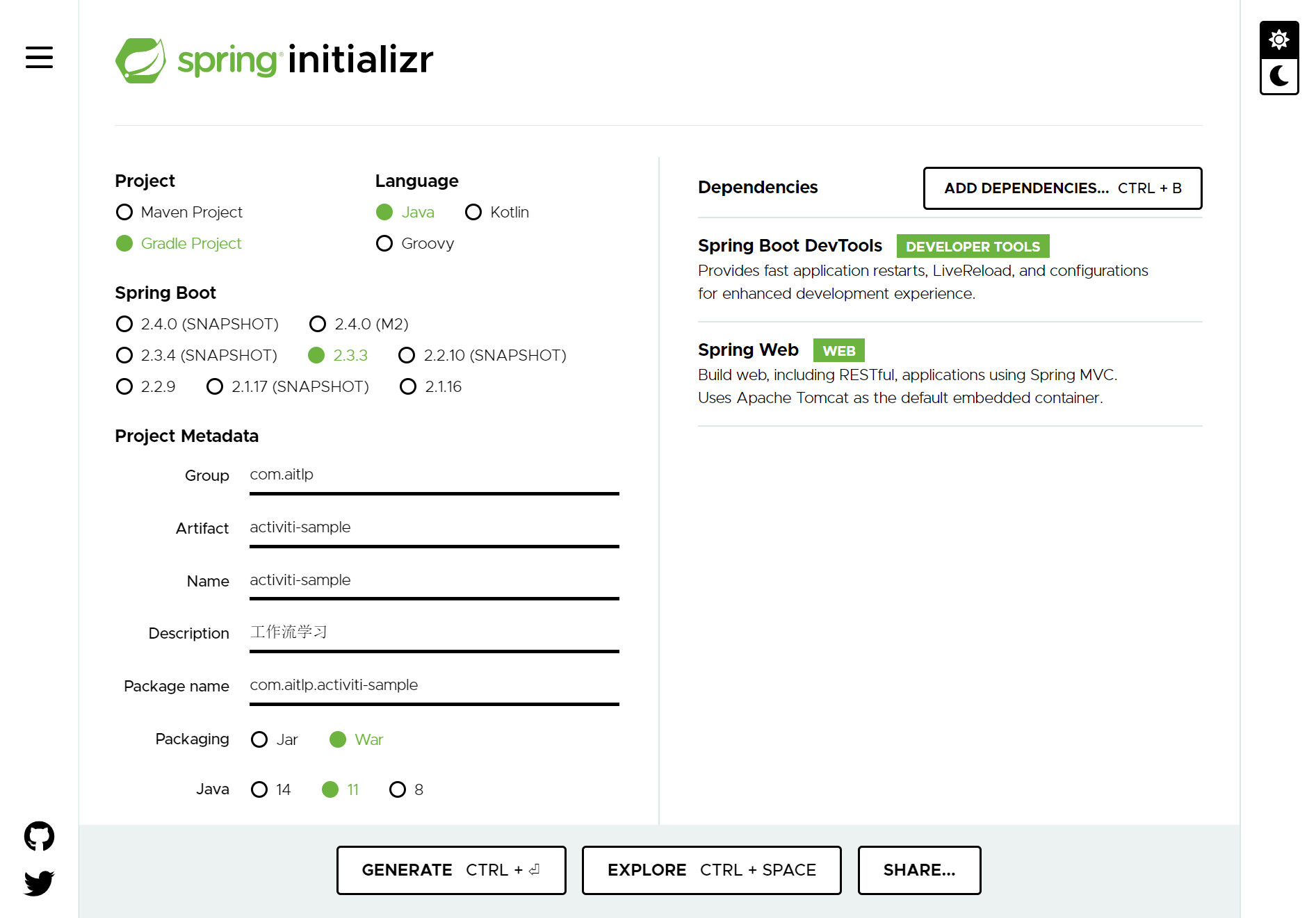
1.官网生成框架代码
访问 https://start.spring.io/,添加自己需要的依赖,这里添加web依赖,如下图:
2.新建一个RestController
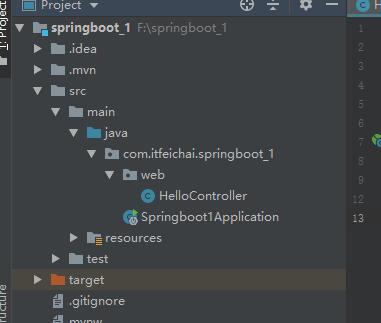
使用IDEA,File->Open打开解压后的代码,新建一个RestController类,这里名称叫HelloController,代码如下:
package com.itfeichai.springboot_1.web;

import org.springframework.web.bind.annotation.RequestMapping;
import org.springframework.web.bind.annotation.RestController;

@RestController
public class HelloController {
    @RequestMapping("/hello")
    public String index() {
        return "Hello World";
    }
}
3.运行代码并访问
运行工程程序入口类Springboot1Application,已Java应用程序的方式运行,spring boot内置tomcat,不需要运行tomcat,如下图:

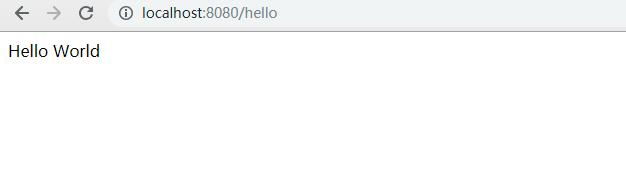
默认端口为8080,打开浏览器访问http://localhost:8080/hello。
如果想要路径里前面添加工程名,需要配置application.properties文件,添加一行:
server.servlet.context-path=/springboot_1
如果想要修改默认端口,需要配置application.properties文件,添加一行:
server.port=8081
© 版权声明
文章版权归作者所有,未经允许请勿转载。
THE END


暂无评论内容