
IDEA 第3页
排序

IntelliJ IDEA使用Git时Fetch失败
使用IntelliJ Idea时,想从远程仓库执行fetch,push,pull命令时提示Could not read from remote repository.具体如下 14:31:53 Push failed: Failed with error: fatal: Could not read from r...
 7年前
7年前
解决web.xml报错The content of element type “web-app” must match(正解)
IntelliJ IDEA编辑器显示web.xml红叉,内容如下 The content of element type “web-app” must match “(icon ,display- name ,description ,distributable ,context-param*,filter*,filter-ma...
7年前优雅的激活IntelliJ IDEA
所有版本激活方法汇总参考:IntelliJ IDEA 最新版激活/注册码系列教程(无需修改hosts文件); 这篇文章是为穷屌丝(包括我自己)准备的,本来打算购买IntelliJ IDEA这款开发工具的,可以算下来一年...
7年前Idea报错:Java 常量字符串过长
环境: Intellij IDEA 2018.1 ; 在做一个非常长的json转对象的测试时Intellij IDEA 编译不通过,报'常量字符串太长',做如下调整即可: 使用 Eclipse编译器 解决问题。 IDEA的操作流程:File -&g...
7年前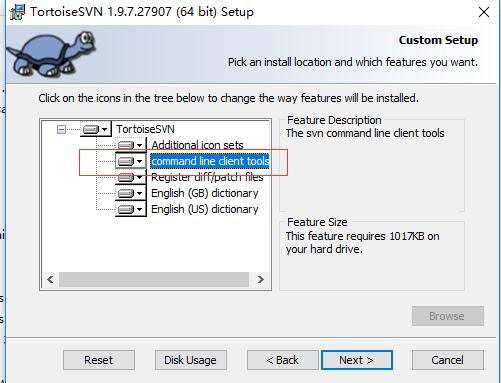
Idea配置tortoiseSVN
使用IntelliJ IDEA过程中进行svn配置: 首先下载TortoiseSVN-1.9.6.27867-x64-svn-1.9.6.msi,安装时记得勾选command line,默认是不安装此项的; 打开idea->File->setting,进行如下配置:
7年前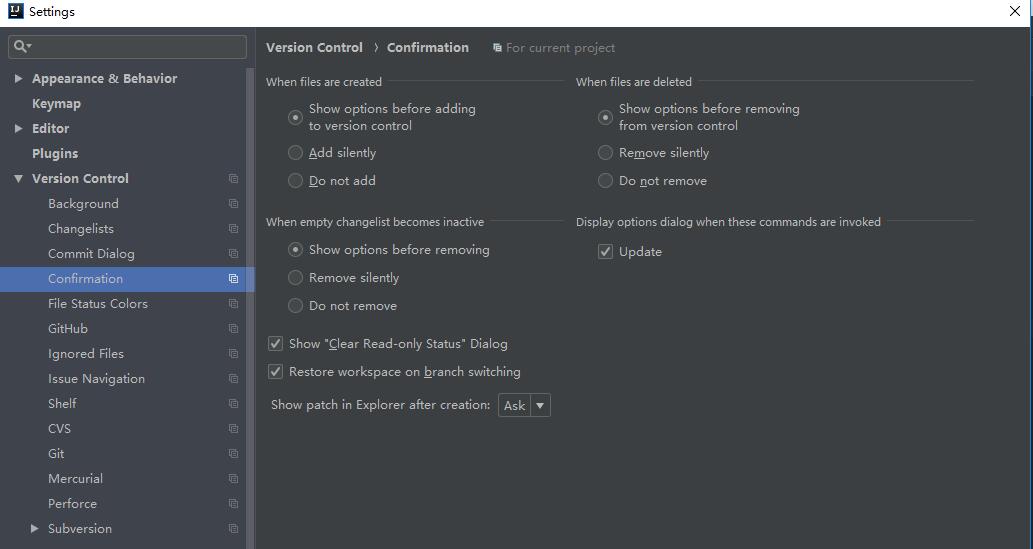
Idea新建文件默认自动加入cvs(git,svn)
环境信息: IntelliJ IDEA: Version 2018.1.4; cvs:git; 设置idea将新添加的文件自动加入版本控制的方法是Setting->Version Control->Confirmation 如图所示,如果想要默认添加到cvs,...
7年前IntelliJ IDEA快捷键
快捷键 说明 IntelliJ IDEA 的便捷操作性,快捷键的功劳占了一大半,对于各个快捷键组合请认真对待。IntelliJ IDEA 本身的设计思维是提倡键盘优先于鼠标的,所以各种快捷键组合层出不穷,对于快...
7年前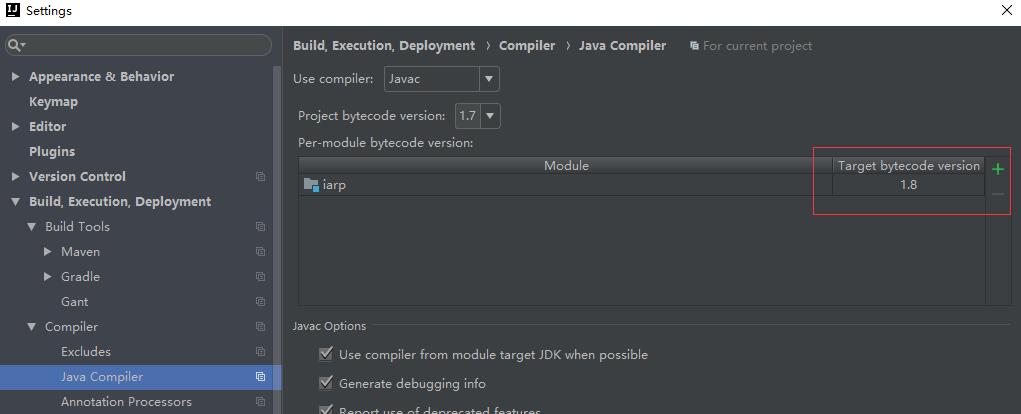
Intellij IDEA Modules 的Language Level的Java代码编译问题三种解决方式
从git远程仓库clone下代码,用Intellij IDEA打开之后修改File->Project Settings->Modules->Language Level和File->Setting->Build,Execution,Deployment->Compiler->Java...
7年前